This guide is for those who need help canceling a private lesson. If you are already familiar with how to cancel your lesson, please click this link to proceed directly to Squid.
Canceling a lesson is easy and only takes a few moments! You may do it from any device with an internet connection (desktop, laptop, tablet, phone, etc).
Please note:
Make-up lesson passes are only given if:
- You have cancelled 24 hours or more prior to your original lesson time or if you have a plan that allows make-up passes for late cancellations
- The lesson you cancelled is in a month that has been paid for; if not, you will receive your make-up pass the day that month's bill is paid
Please follow the steps below to cancel your private lesson at Octopus.
- Step 1: Sign into SQUID
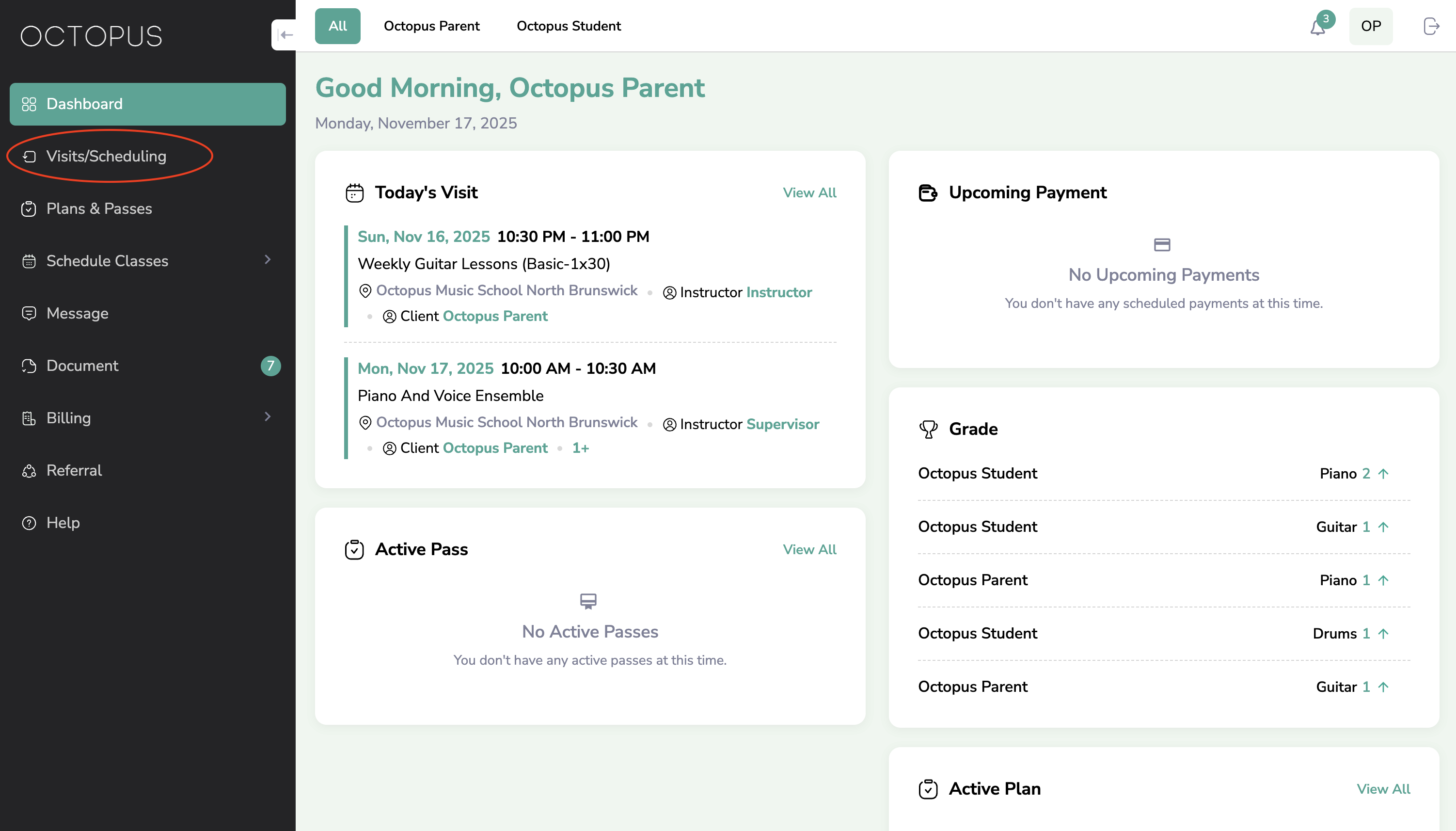
- Step 2: Navigate to the sidebar and select "Visits/Scheduling"
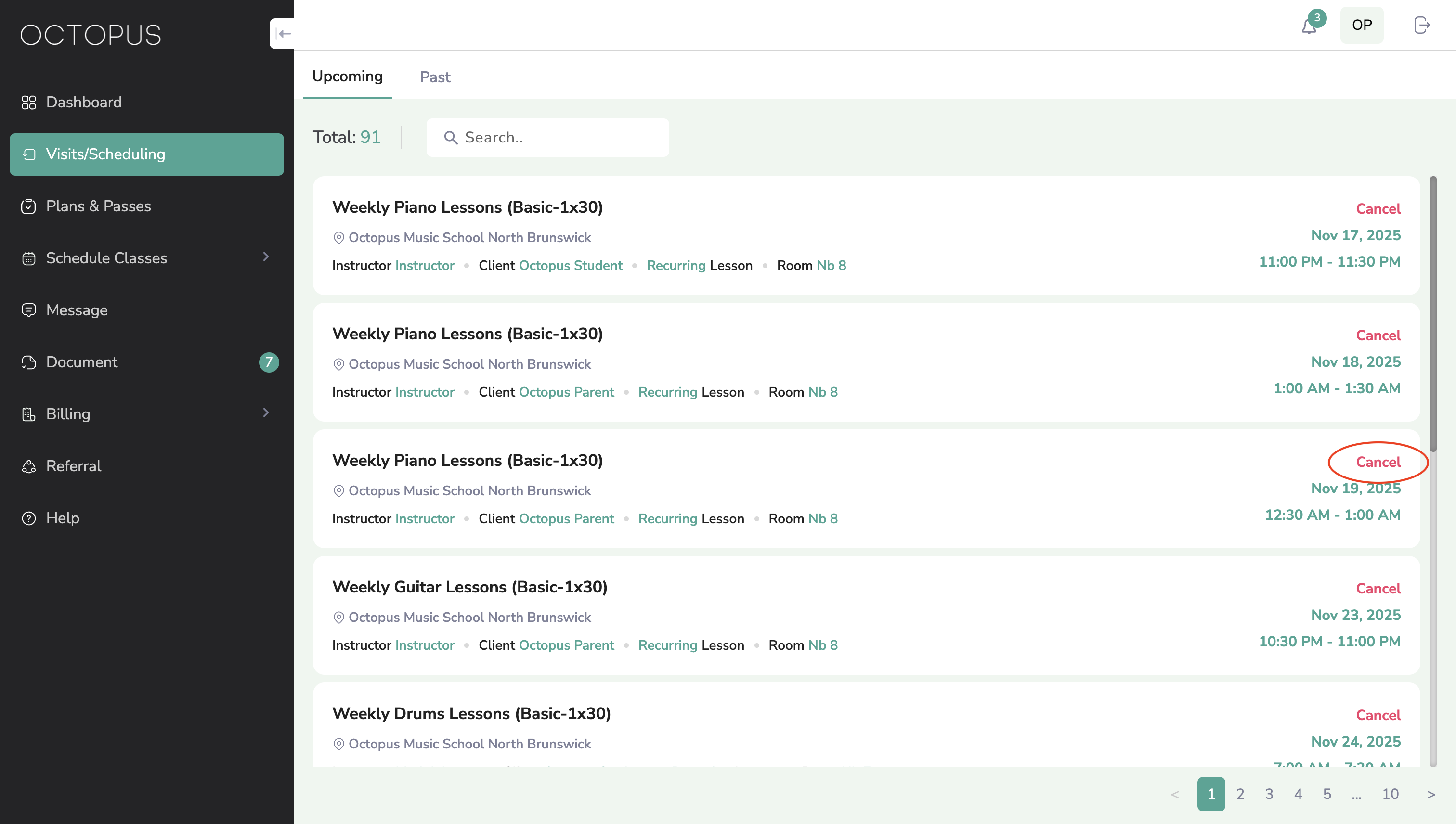
- Step 3: Select "Cancel" next to the lesson you wish to cancel
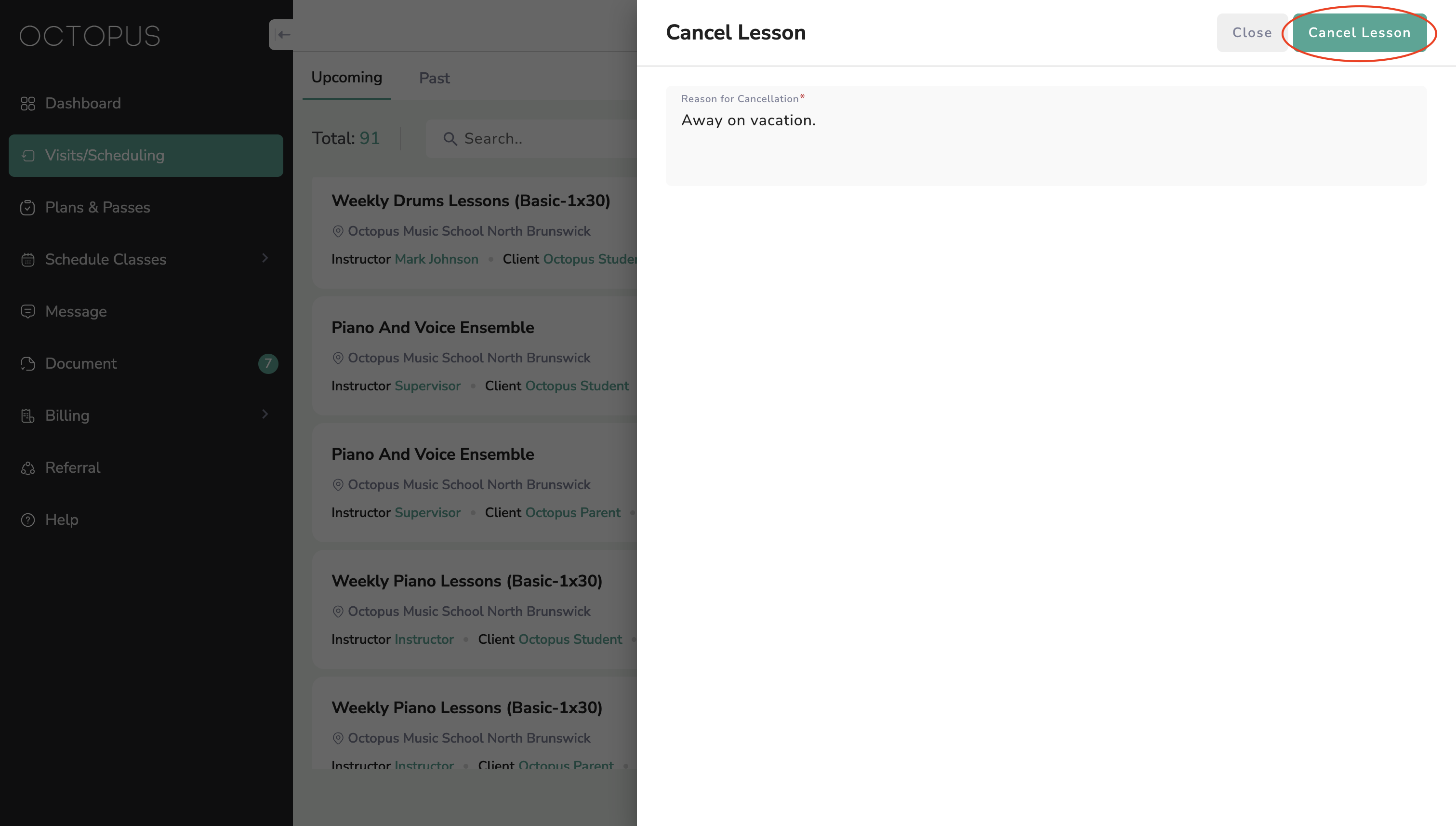
- Step 4: Provide a reason for cancellation and select "CANCEL LESSON"
- Step 5: Schedule your make-up lesson (see article How To Schedule A Make-Up Lesson)
Instructions to cancel a private lesson
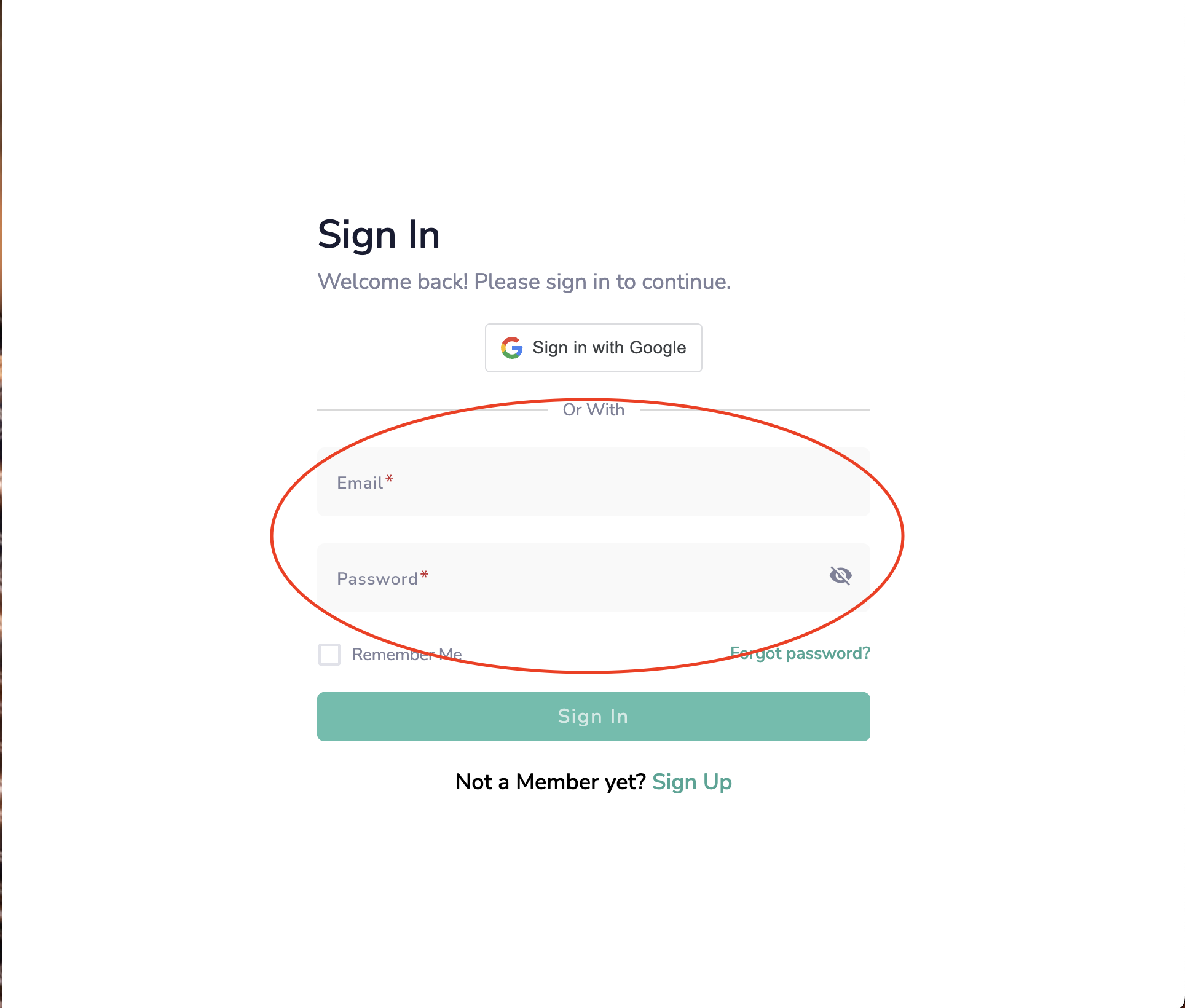
Step 1: Sign into SQUID
- If you are not already signed into squid.octopusmusicschool.com, sign in with the email you provided when you registered.
Step 2: Navigate to the sidebar and select "Visits/Scheduling"
Step 3: Select "Cancel" next to the lesson you wish to cancel
Step 4: Provide a reason for cancellation and select "CANCEL LESSON"
Step 5: Schedule your make-up lesson (see article How To Schedule A Make-Up Lesson)
- As long as the lesson you canceled is in a month that has been paid for you, you can schedule your make-up lesson immediately after canceling. If it is for a month that has not yet been paid, the make-up pass will be added to your account after that month's bill has been paid.
Was this article helpful?
That’s Great!
Thank you for your feedback
Sorry! We couldn't be helpful
Thank you for your feedback
Feedback sent
We appreciate your effort and will try to fix the article