This guide is for those who need help submitting individual summer absence dates. If you are already familiar with how to submit summer absences for you or your child, please click this link to proceed directly to Squid.
If you are not looking to submit individual summer absence dates and would like to submit a plan hold, please click this link to view our help article on Summer Absences: Plan Holds.
Submitting summer absences using our online system is fast, easy, and can be done from any device with an internet connection.
Please note the following points about Summer Absence Individual Date Submissions:
- Summer absences may not be submitted retroactively for previously canceled lessons, and must be submitted a minimum of 24 hours in advance of any absence
- Students may select up to four lesson dates from June-August as designated summer absences. You are able to submit a limit of TWO SUMMER ABSENCES PER MONTH (June, July, August), AND FOUR IN TOTAL.A pro-rated tuition discount will be applied in lieu of make-up passes being issued for the selected dates.
- If you have more than one student enrolled or are enrolled in more than one instrument, you can submit four absence dates per instrument (including ensembles)
- The discount for your selected absences will be applied to the next full month's bill following your absences. For example, if you are requesting two summer absence dates in June, the discount will be applied to your July tuition bill.
- INELIGIBLE DATES FOR INDIVIDUAL ABSENCES (School Closures):
- Tuesday 6/9, Professional Development
- Wednesday 6/10, Professional Development
- Thursday 6/18, Spring Showcase
- Friday 6/19, Spring Showcase
- Saturday 6/20, Spring Showcase
- Sunday 6/21, Spring Showcase
- Saturday 7/4, Independence Day
- Tuesday 8/18, Professional Development
Please follow the steps below to submit your individual summer absence dates at Octopus.
- Step 1: Sign into SQUID
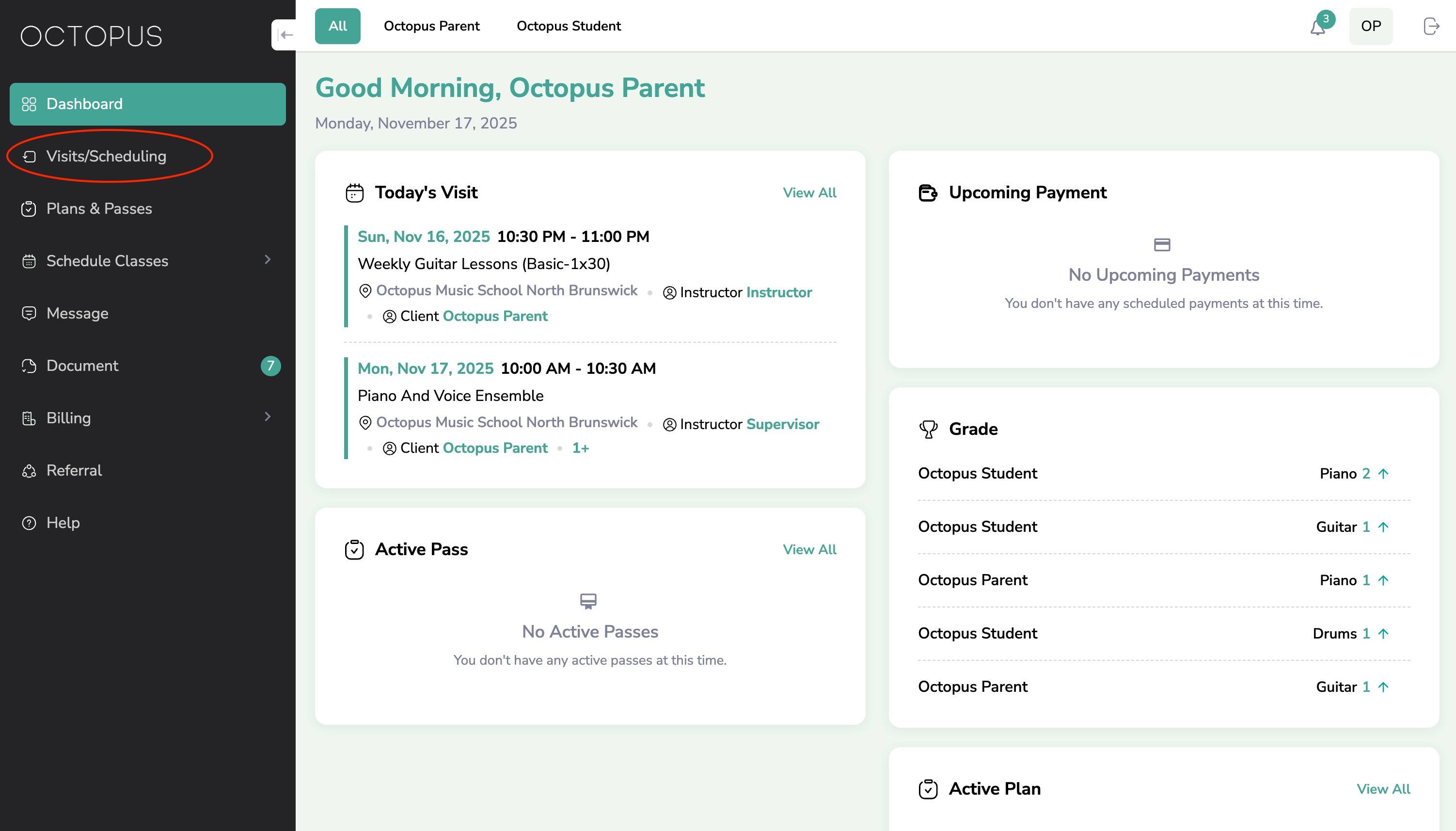
- Step 2: Navigate to the sidebar and select "Visits/Scheduling"
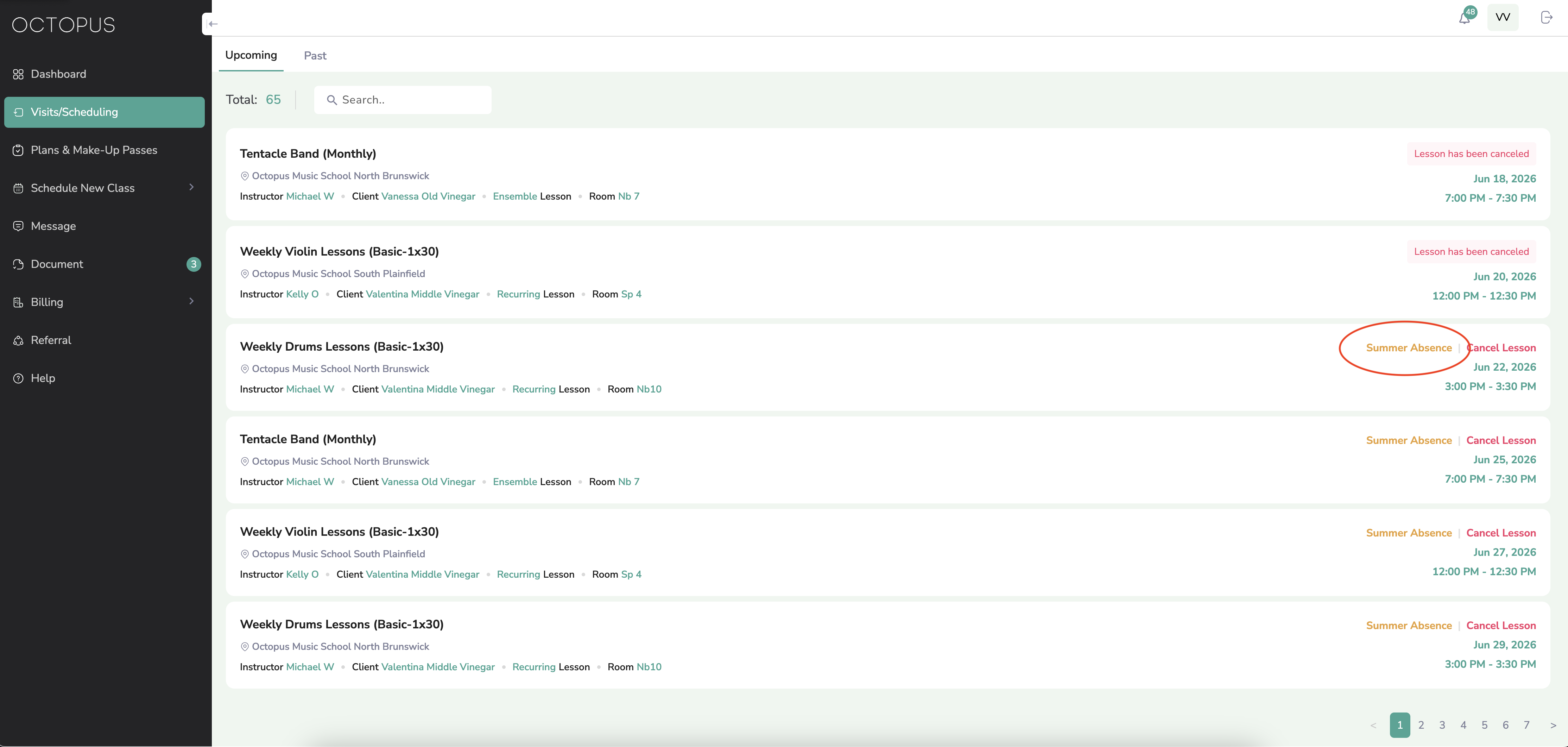
- Step 3: Select "Summer Absence" next to the lesson you would like to cancel as one of your Summer Absence Date Submissions
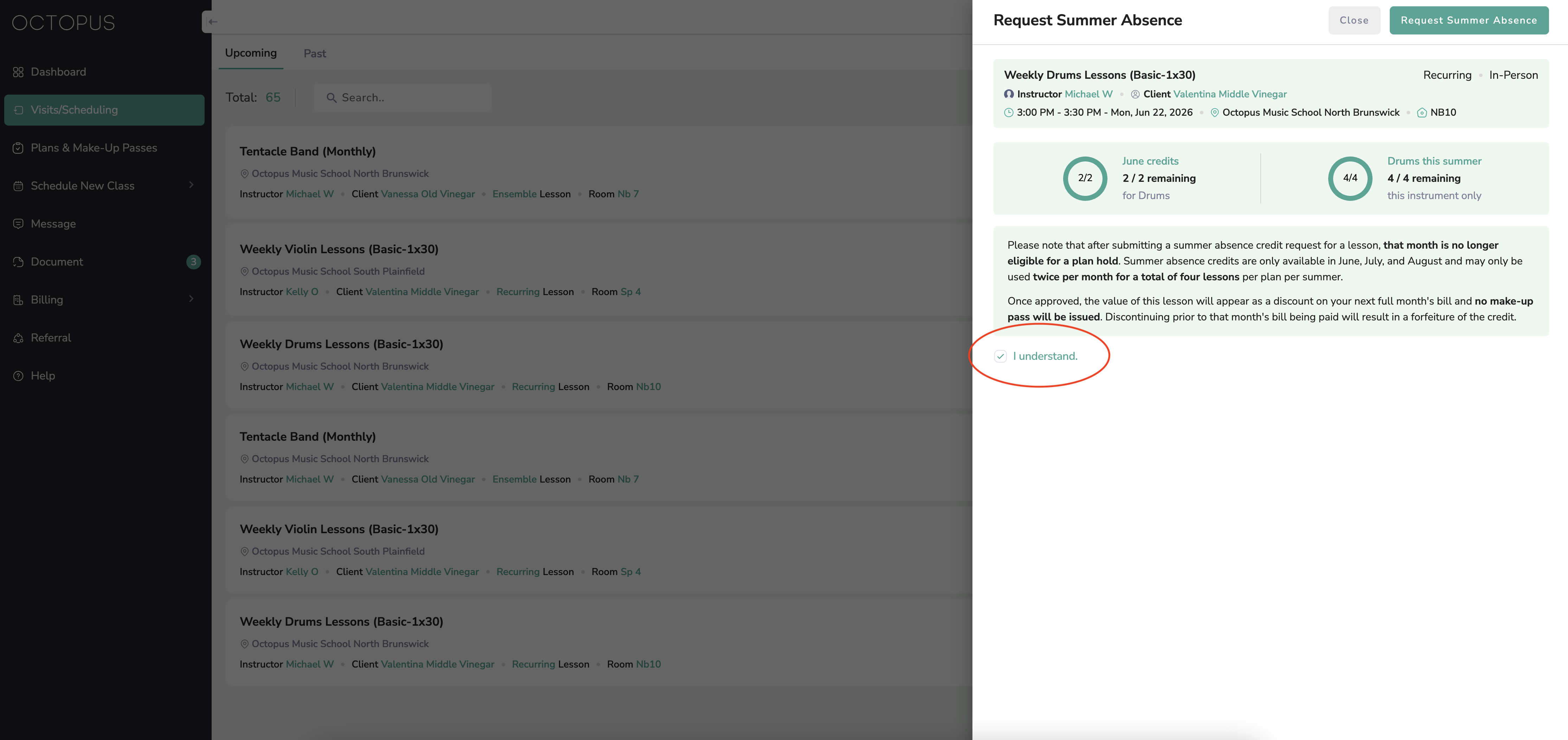
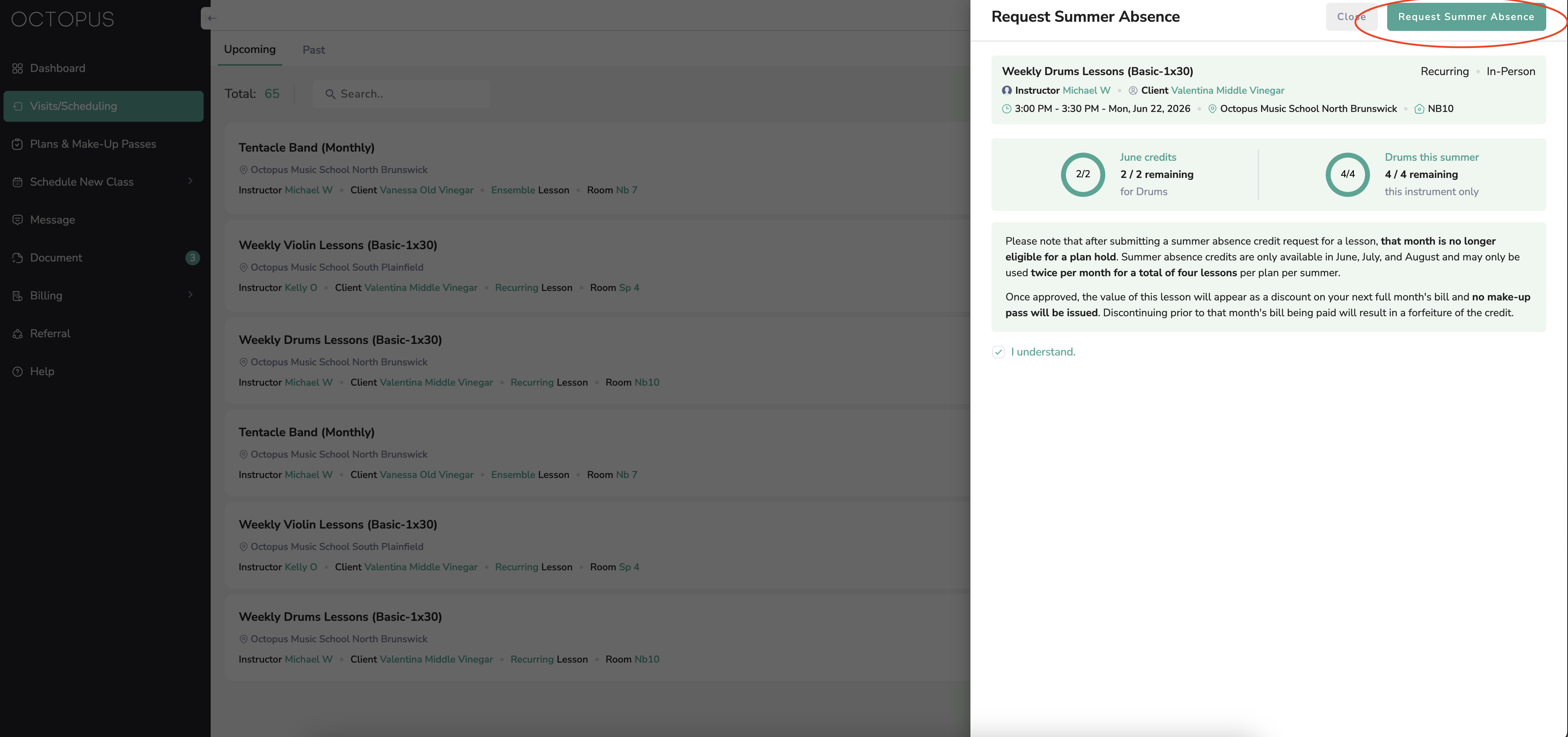
- Step 4: After reviewing the terms of your submission, select "I understand" by using the checkbox in the bottom left corner
- Step 5: Select "Request Summer Absence" in the top right corner
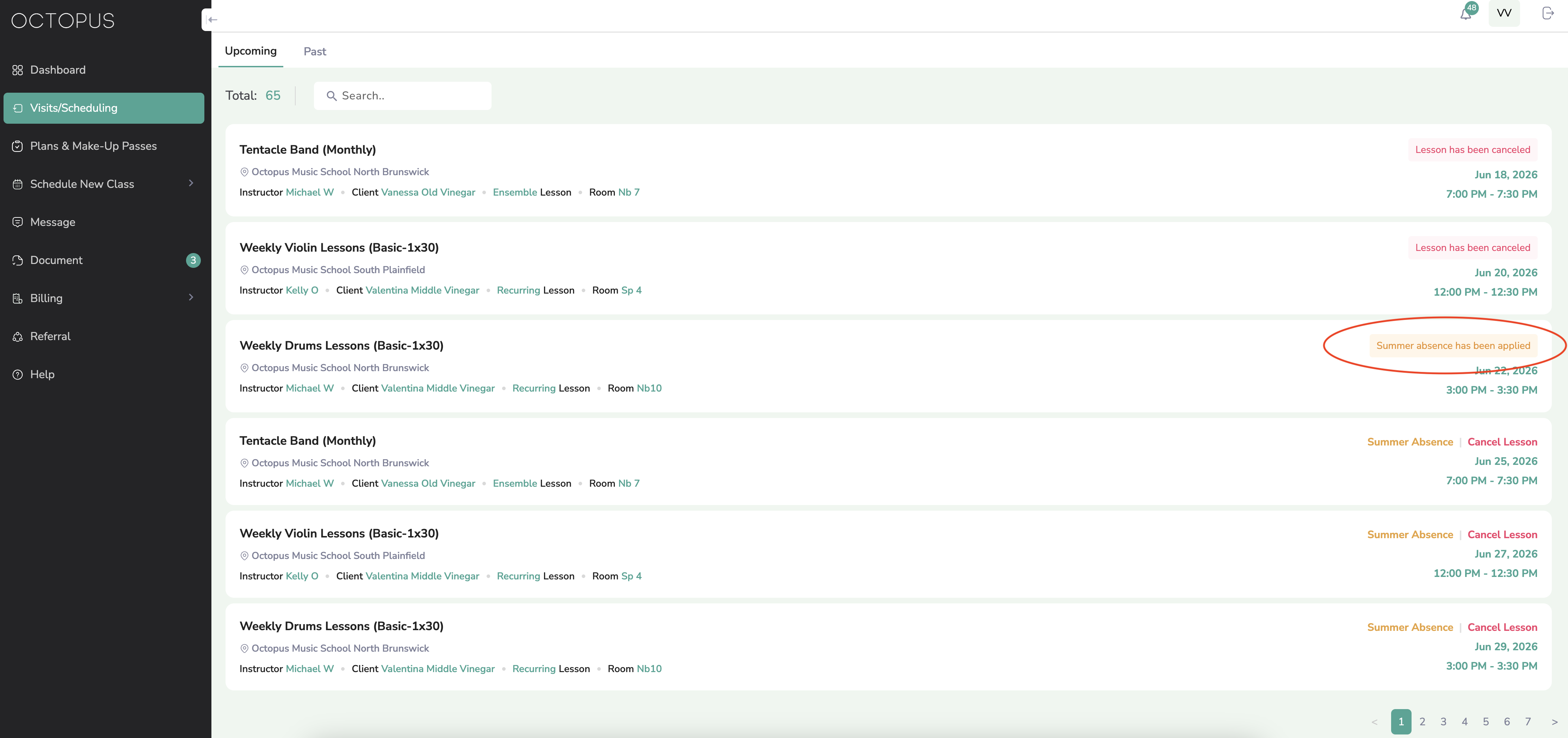
- Step 6: Navigate back to "Visits and Scheduling" by using the menu on the left side of the screen. If your date submission was successful, the lesson will indicate "Summer absence has been applied."
- Step 7: Repeat this process for your remaining Summer Absence Individual Date Submissions as needed.
- Step 8: Have a great summer!
Instructions to submit a Summer Absence Individual Date
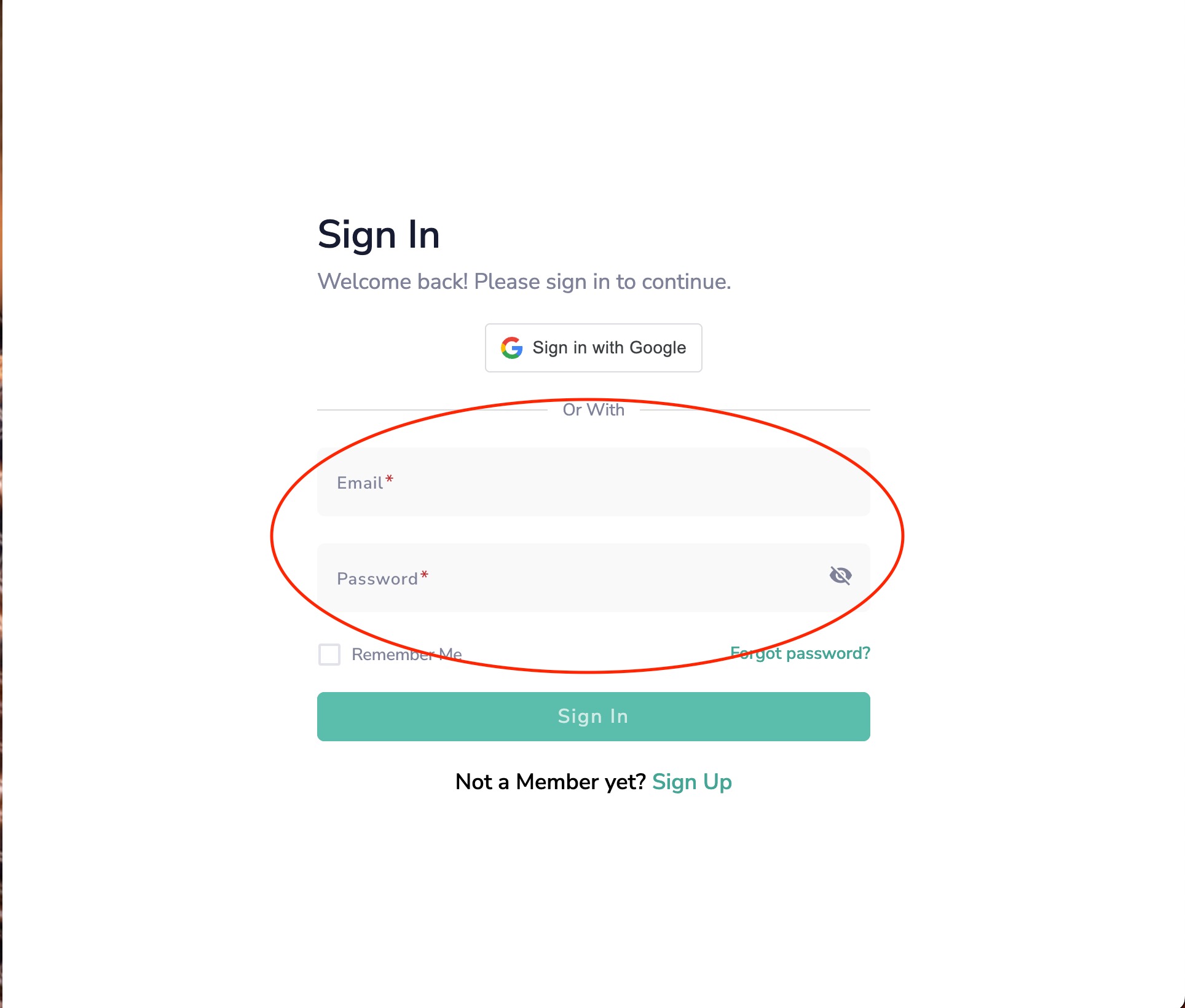
Step 1: Sign into SQUID
- If you are not already signed into squid.octopusmusicschool.com, sign in with the email you provided when you registered.
Step 2: Navigate to the sidebar and select "Visits/Scheduling"
Step 3: Select "Summer Absence" next to the lesson you would like to cancel as one of your Summer Absence Date Submissions
Step 4: After reviewing the terms of your submission, select "I understand" by using the checkbox in the bottom left corner
Step 5: Select "Request Summer Absence" in the top right corner
Step 6: Navigate back to "Visits and Scheduling" by using the menu on the left side of the screen. If your date submission was successful, the lesson will indicate "Summer absence has been applied."
Step 7: Repeat this process for your remaining Summer Absence Individual Date Submissions as needed.
Step 8: Have a great summer!
Was this article helpful?
That’s Great!
Thank you for your feedback
Sorry! We couldn't be helpful
Thank you for your feedback
Feedback sent
We appreciate your effort and will try to fix the article